info@techhouseit.bd
Hours: Sun - Thu: 10.00 AM - 7.00 PM


Plugins like Admin Safety Guard Pro or MalCare provide an “Endpoint” web application firewall for WordPress. These are excellent because they have “context.” They know exactly which user is logged in and what their permissions are, allowing for much more granular security rules.
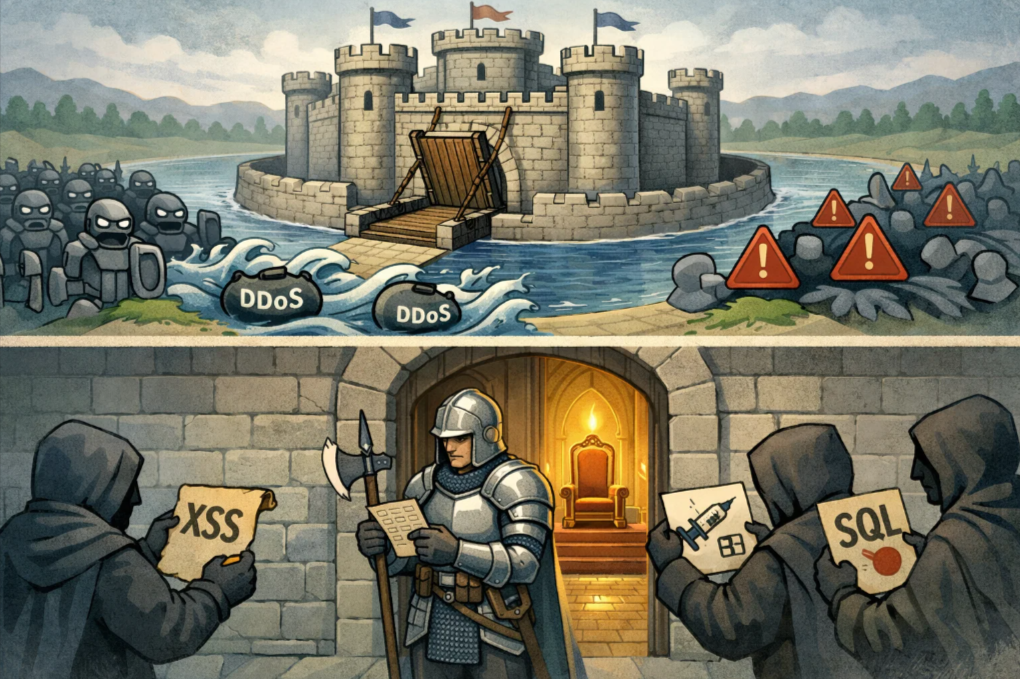
One of the biggest headaches for WordPress users is the constant stream of plugin updates. Sometimes, a vulnerability is discovered, but a patch isn’t released for days. Or worse, you’re on vacation and can’t update your site immediately.
Virtual Patching is a feature found in high-quality web application firewalls for WordPress. Let’s say a new vulnerability is discovered in a popular plugin like WooCommerce or Elementor. The Web application firewall for WordPress provides a way to write a rule to block any attempt to exploit that specific flaw.
This is how WAF protects your site instantly, even if you haven’t updated the actual plugin yet. It buys you time and provides peace of mind.
Setting up a web application firewall for WordPress may sound complex. However, it’s an easy task when you have the best WordPress malware scanner installed.
While most of the security plugins are cluttered with complex features, the latest solutions like Admin Safety Guard Pro prioritize a “set it and forget it” approach that begins protecting you the moment it’s activated.
Note: Learn about the best WordPress malware scanner to get the features that fit your site’s requirements.
The Pro version of Admin Safety Guard offers the WAF, and the Malware Scanner works together to provide a proactive shield. Here is how to manage your defense system effectively:
Once you have the Pro version of your security plugin installed, the first step is to wake up the guardian.
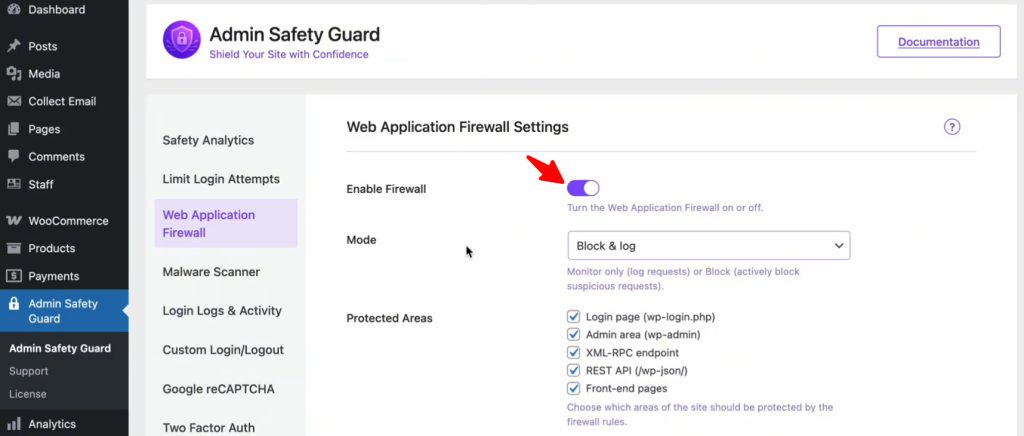
This instantly activates a protective layer that filters every incoming request, checking for common attack signatures like SQL Injections and XSS payloads.
Step 2: Choose Your Defensive Mode